
How to install a new HDD/SDD in my North XL PC
You will need to get the following cables provided in your accessory bag that came with your MAINGEAR PC:
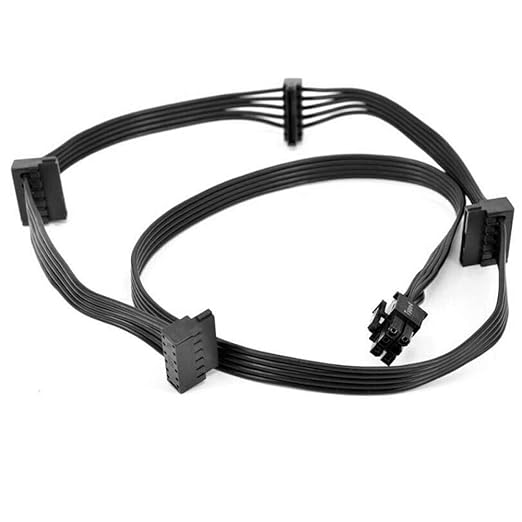
- x1 SATA Daisy Chain Power Cable
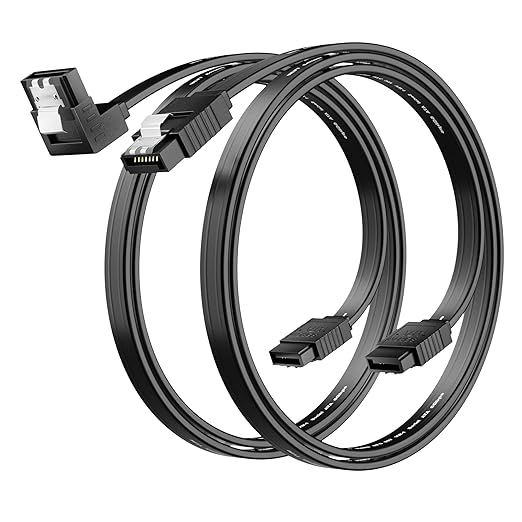
- x1 SATA Cables
- Hard drive anti vibration pads and screws
Below is the guide provided by Fractal Design on how to install the hard drive into the bay and bock onto the chassis.
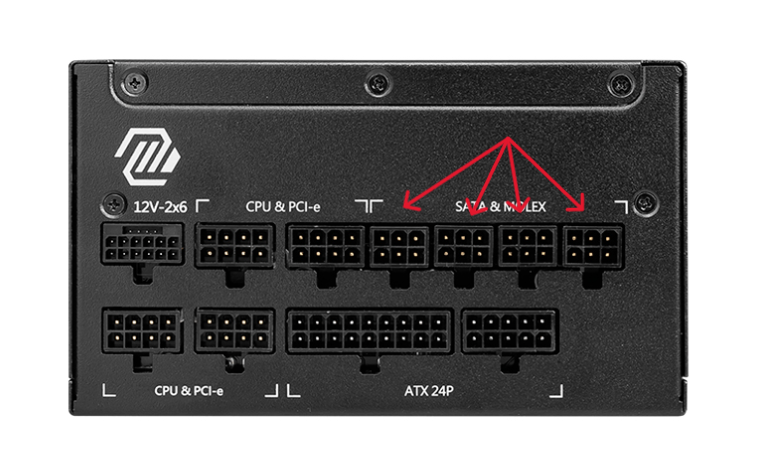
Once you have these drives in their bays, you will plug in the 6-pin connector of the SATA Power Cable into the power supply located on your power supply as shown below. It can be in any of the free slots.
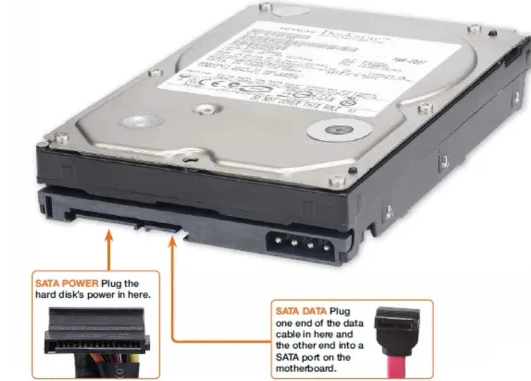
Next, you will plug in the 15-pin side of the SATA Power Cable onto both of your hard drives. You will also plug in one of the sides of each SATA Cable into each hard drive as shown below for both connectors.
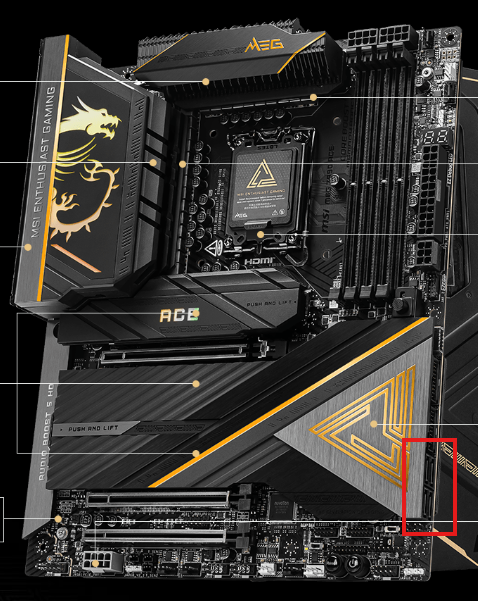
The other side of the SATA cable will be connected to the motherboard. Here is where the general location is on your motherboard. You will route the wire from the back to the motherboard through a rubber opening. You will plug in the wires into any of the 4 ports shown in the picture below.
Once you do all that, just close up the system and everything is set to be turned on.
If you have questions or concerns, please contact one of our MAINGEAR Support agents by
calling (908-620-9050) or email support@maingear.com